All FarmBots ship FREE
Not applicable to Net 30 POs

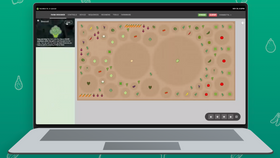
Today we have another nice update deployed to the FarmBot web app to make daily interactions in the 3D farm designer faster and more intuitive.
Clicking a plant, point, weed, or tool/slot now reveals a compact popup with commonly accessed information and controls such as:
When an item is selected, a rotating dashed white ring is shown around the base of the object, as well as crosshairs across the grid. Clicking the external link button (the square icon with an arrow pointing to the top right) will open the full panel details of the selected object.

There are also new popups when clicking the camera, UTM, or electronics box, featuring additional common controls and at-a-glance information.

All popups may also be closed using the escape key, by clicking the object a second time, or with the x button in the top right of the popup.
The multi-select and bulk-edit panel now works with the 3D designer. You can invoke it by clicking the SELECT button in the map legend, or by clicking to select one object in the 3D designer, holding control (or command on mac), and clicking to select another object.

Text hover labels have been added to all points, weeds, and tools/slots (they already existed for plants).

When hovering over the grid (and not an object), full length/width crosshairs are shown across the grid.

You may also click anywhere in the grid to open a popup for that location, providing a new convenient way to manually tell your FarmBot to move somewhere.

You can now turn on/off a virtual LASER shooting down from the UTM in the 3D designer, providing a clearer indication of the UTM’s X and Y coordinates over the grid, particularly when viewing from an oblique angle.