All FarmBots ship FREE
Not applicable to Net 30 POs

This week we have a big update for you across the FarmBot Web App and FarmBot OS! Here’s what new and improved:
You can now control the ORDER that the three axes are operated in for each movement command. Options include:

Find the ORDER option in the [+] menu of each movement:

In addition, you can set the DEFAULT AXIS ORDER from the settings menu, which will take effect for all movements that do not have an explicitly set axis order. For existing accounts this default is set to All at once, and for new accounts created today it is set to X and Y together.
If your FarmBot is operating just fine, there is no need to make any changes. If you are experiencing movement reliability issues, consider trying one of the new settings to limit the number of axes moving simultaneously.
The default order setting will also take effect for move{} Lua commands, and you may also explicitly set the order on a per-command basis using new grouping and route keyword arguments. For example:
move{
  x=100,
  y=200,
  z=-50,
  grouping="xy,z",
  route="high"
}
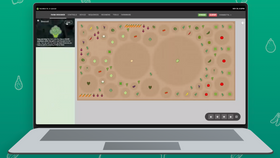
You can now visualize the path in 3D that FarmBot will take when executing a sequence, including sequences with Lua! This is more complicated than it may seem on the surface, as it requires transpiling Lua code to Javascript in-browser. The result is an orange pathway in 3D, and soon greater detail indicating what FarmBot will do at each location. To visualize a sequence, click the eye icon in the sequence header (next to the RUN button).

We’ve added three new Lua helpers and updated two more to make them easier to use:
get_generic_points({filters}) returns a table of generic points, filtered by optional parameters. Available filters include: min_radius, max_radius, min_age, max_age, color, and at_soil_level.get_plants({filters}) returns a table of planted plants, filtered by optional parameters. Available filters include: min_radius, max_radius, min_age, max_age, plant_stage, and openfarm_slug. By default, a plant_stage="planted" filter is applied.get_weeds({filters}) returns a table of active weeds, filtered by the optional parameters. Available filters include: min_radius, max_radius, min_age, max_age, plant_stage, and color. By default, a plant_stage="active" filter is applied.get_group(id|name) replaces the previous group(id) helper, allowing you to now lookup a group either by its id or by its name.sort() has been updated to now work with a table of point objects as opposed to just a table of point id’s.See the updated developer docs for code examples of each helper!
We’ve added a new SEEDER TIP Z OFFSET field to tools with “Seeder” in the name, allowing seeders with aftermarket needles of different length to be used in a consistent way with the seed containers without needing to alter sequences based on the needle length. We’ve added a default value for all accounts, but you can edit this in the tools panel if you’re already using aftermarket needles.
And of course, this value is accessible via the API and Lua as follows:
seeder_tool = get_tool({name = "Seeder"})
toast(seeder_tool.seeder_tip_z_offset)
We’ve updated most of our featured sequences and the sequences provided during new account creation to make use of the new AXIS ORDER and SEEDER TIP Z OFFSET settings, as well as all the new Lua helpers. The new sequences are now more dynamic and deliver more functionality in fewer lines of code. Once you have upgraded to the latest FarmBot OS, go ahead an click the UPGRADE button to get the latest version of a sequence. Here are some of the highlight changes:
seeder_tip_z_offset.Building upon the new 3D sequence visualization features, demo account users can now simulate running full sequences (including those with Lua) and watch the virtual FarmBot move around, mount and dismount tools, operate the peripherals, and more. This has been a long-requested feature by our educational customers to allow students access to a virtual FarmBot before being given access to a real machine.
 In addition, demo account users can now also:
Note that some features such as some Lua functions are still not yet supported in simulation, but let us know if there’s something specific you would like to be added. Once we reach a broad enough coverage of features we’ll add a simulation mode for non-demo accounts.
Rounding out the setup wizard procedure, new users are now guided through setting up the slot coordinates for all of the conventional tool slots as well as the gantry-mounted seed trough holder locations.

find_home("all"). Now it will execute in the order Z, Y, X as intended. Thank you @mvillion and @jsimmonds for the report and issue!